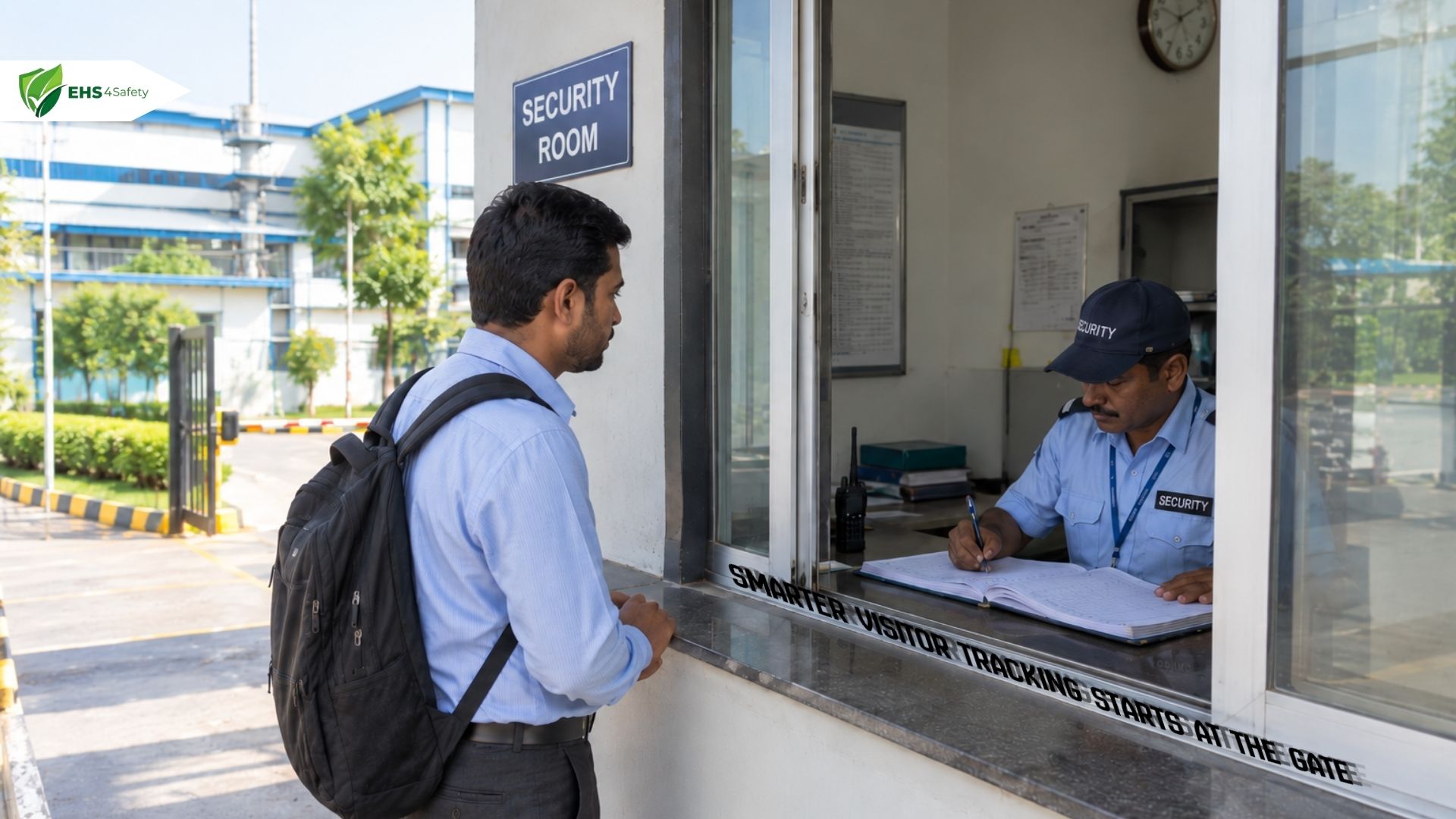
At many factory gates, a handwritten register kept on the security desk is still the only record of who entered, whom they met and when they left. Visitor Management Software gives manufacturing units a structured alternative, which matters most in plants that receive contractors, suppliers, auditors and customers every day.
That dependence carries a cost. Handwritten entries are slow to make, easy to leave incomplete and difficult to read later. Returning visitors repeat the same details on every visit. Finding an entry from three months ago means locating the right book and turning pages. Totals for a week or a month have to be counted by hand.
Visitor Management addresses these weaknesses by organizing registration, approvals, arrivals, departures and reports within one digital workflow. This article explains how manual gate registers work, why they become hard to manage in industrial settings, and how digital visitor workflows reduce dependence on them.
What is a manual gate register?
A manual gate register is a physical book or a set of printed sheets kept at the entrance of a factory, warehouse or manufacturing plant. Its purpose is to document every external person who enters and leaves the premises. Security personnel maintain it, and plant administrators refer to it whenever a record of a particular visit is needed.
It shows who was on the premises on a given day, which employee received them and why they came, giving the facility a basic paper trail for contractor visits and supplier appointments.
How traditional gate registration works
At most gates, the process starts when a visitor reports to the security cabin. The guard records:
- Visitor name and contact number.
- Company or organization.
- Purpose of visit.
- Name of the employee being visited.
- Arrival time, noted beside the entry.
- Other details the facility requires, such as a vehicle number or the identity document shown.
The guard then telephones the host to confirm the appointment and to check that the visitor may be allowed in. Once the host agrees, a temporary pass is issued and the visitor proceeds to the meeting point or production area. On departure, the pass is returned and the guard is expected to write the exit time against the original entry. Completed registers are stored for future reference. The exact procedure differs between organizations, but the sequence of writing, calling and filing is common.
Why manual gate registers become difficult to manage
Manual registers create seven recurring difficulties at the gate:
- Time-consuming entries: every visitor’s details must be written out in full, and when several visitors arrive together at a shift change or at the start of a maintenance shutdown, a queue forms at the gate.
- Incomplete records: visitors skip fields, supply wrong phone numbers or write in a hand that nobody can read later. A page with a missing host name or an illegible company name has little value when the entry is needed for a follow-up.
- Repetitive data entry: a contractor who comes to the plant every week writes the same name, company and contact details each time.
- Difficult record searches: paper offers no index, so staff must identify the correct register, find the date and scan the page by eye to retrieve an earlier visit.
- Manual reporting: visitor totals, a particular supplier’s visit history or the count for a given month require someone to tally entries one by one and calculate summaries.
- Unreliable exit records: visitors often leave without recording their departure, so the register continues to show them as present, and nobody can tell from the page alone whether the person is still on site.
- No automatic digital headcount: a paper register cannot calculate how many visitors are currently recorded as present. Security personnel must reconcile arrivals against departures line by line, and every missing exit entry makes that reconciliation harder.
Together, these problems slow the gate and leave plant administrators with records that take effort to use.
How Visitor Management Software replaces manual gate registers
The move from paper to digital replaces free-form handwriting with structured workflows. Visitor Management Systems differ in scope, but most capture visitor details in defined fields, reduce repetitive administrative tasks and make recorded visit details easier to retrieve. A digital visitor management platform from EHS4Safety is one example of how registration, approvals, check-in, check-out and reporting can sit within a single centralized system.
Digital visitor registration replaces handwritten entries
Electronic forms capture visitor details in structured fields for name, contact number, organization, purpose of visit and host. Registration can take place on:
- A computer in the gate cabin.
- A tablet.
- A self-service kiosk.
Required fields can be marked mandatory, which reduces the omissions common on paper, and typed entries are always legible.
Consider a maintenance technician arriving to service a compressor on a production line. The technician’s details are entered once, linked to the host in the maintenance department and served as a searchable record. Digital visitor registration therefore reduces dependence on the handwritten register, although some facilities may still keep paper copies of certain declarations or statutory documents.
Pre-registration reduces repetitive data entry
Pre-registration moves data collection ahead of the visit. A host registers the visitor in advance, schedules the appointment and sends an invitation carrying the visit details and, where the system supports it, a QR code. The visitor arrives with most information already captured, and gate staff retrieve the existing registration instead of asking for the same details again. Returning contractors benefit most, since an earlier registration can be retrieved and only the new visit details need to be added.
Consider a contractor team booked for a planned maintenance shutdown. The maintenance supervisor registers each member days earlier, so the gate handles a line of verified bookings rather than a line of blank forms. Visitor pre-registration does not replace identity verification or the approvals that the facility requires. It only ensures that those checks begin with complete information.
Training management is a related concern. Where site procedures require a safety induction before entry, visitor registration may need to be coordinated with training management processes to confirm that the required training has been completed. Whether a given system records completed training should be confirmed before it is relied upon.
QR code check-in records visitor arrivals digitally
When an invitation includes a QR code, the visitor can scan it at a kiosk, at the gate or on a mobile device to start or complete a supported check-in. The system matches the scan to the correct registration, so the arrival is recorded against the right visitor without a guard searching for the entry or writing the time by hand. QR code visitor check-in therefore removes both a search step and a manual timestamp. At a busy gate during a shift change, this keeps the line moving without removing any required checks.
A scan, however, proves only that someone presented a valid code. It does not establish identity and does not authorize entry by itself. Verification by security personnel and any required host approval remain part of the process.
Digital identity verification improves record reliability
Reliable records depend on confirming that the person at the gate is the person who was registered. Security personnel can compare the details submitted at check-in with the registration record and, where the facility requires it, check the identity document presented. Some platforms also support photograph capture and facial verification, though other products may offer fewer checks. Facilities with returning contractors may find this especially useful, as a stored profile gives gate staff a consistent reference point.
A photograph linked to a visitor record helps authorized personnel tell registered visitors apart, but a photograph alone does not prove identity. Names, contact numbers and photographs are personal information, so access must be limited to authorized users and handling must follow applicable privacy requirements.
Automated host notifications replace manual calls
Under the traditional method, a guard telephones the host before a visitor is allowed to proceed. In a busy plant, the host may be on the shop floor and unreachable, which keeps the visitor waiting at the gate.
With supported notifications, the system informs the designated host by email, SMS or another configured channel as soon as the visitor checks in. A maintenance supervisor expecting an external technician receives the alert wherever the supervisor happens to be and can respond without a call from the gate. Security personnel can then continue the verification without waiting for a telephone reply. This reduces repetitive front-desk communication and helps hosts respond promptly. Notifications do not replace approval, however. Where a facility requires the host to approve entry before a pass is issued, that step still applies.
Digital check-out creates more complete visit records
A visit with no recorded exit is an incomplete record, and it distorts any later review of who was on site. Digital check-out can take several forms, depending on what the system supports:
- A QR scan.
- A kiosk.
- An update by security personnel.
When both events are recorded, the visit history shows a clear arrival timestamp and departure timestamp for each visit. Missing check-outs, by contrast, leave visitors marked as present after they have left. Accuracy therefore depends on visitors and authorized personnel following the check-out procedure. A digital system cannot guarantee correct occupancy information if visitors bypass the process. At a shift change, when several visitors leave together, a quick scan is easier to complete than finding and updating separate register lines.
Centralized digital records eliminate manual register searches
Centralized storage replaces scattered physical registers with a single searchable database. Authorized staff can search by visitor name, date, organization, host or other supported fields and retrieve the matching visit within moments instead of leafing through pages. Filtering by host also helps a department review the external visitors it received over a period.
The practical value appears in several situations:
- Internal reviews.
- Audit preparation.
- Supplier follow-ups.
- Administrative inquiries.
When a purchase team asks which vendor representatives visited last quarter, or an auditor requests visitor documentation for a given week, the records are already organized. During an incident review, accurate entry and exit records may support Incident Management by helping authorized personnel establish the documented presence and visit history of external personnel. Visitor records are not a complete incident management module, but they provide one useful input.
Access permissions should define who can view or export records, retention periods should follow facility policy and applicable law, and personal information should be handled responsibly. Where visitor records form part of a broader digital safety workflow, EHS Software can help organizations coordinate relevant safety information alongside other workplace processes, provided the selected solution supports those functions.
Visitor Occupancy Tracking and Data Accuracy
Digital Visitor Headcount: Tracks recorded visitor entries, current check-in status and unique visitor profiles to improve occupancy visibility and support emergency preparedness.
Visitor Photographs Linked to Records: Connects visitor photographs with registration details, making identification and record retrieval easier for authorized personnel.
Duplicate Visitor Record Prevention: Helps reuse existing visitor profiles while maintaining separate appointment details and visit histories for accurate record keeping.
Automated Visitor Reporting: Simplifies the retrieval of visitor histories, administrative summaries, and arrival and departure records without manually counting register entries.
Smarter Data Management with Migration, OCR Scanning, and Data Extraction
Simplify data management by migrating information from legacy systems, converting scanned documents into searchable text using OCR technology, and extracting relevant details from multiple sources. These capabilities reduce manual data entry, improve data accuracy, and make business information easier to access, process, and manage.
Practical example: managing a maintenance contractor's visit
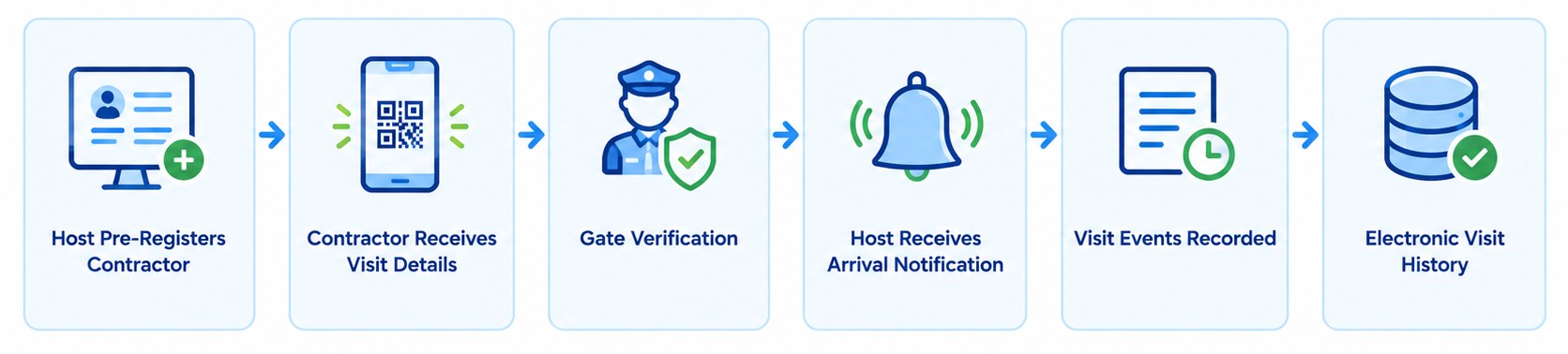
The digital workflow, where the relevant capabilities are supported, runs differently:
- The host pre-registers the contractor.
- The contractor receives visit information and a QR code.
- At the gate, security personnel retrieve the registration and complete the required verification.
- The host receives a digital arrival notification.
- The visit record retains the arrival and departure events.
- Later, authorized personnel retrieve the visit history electronically.
The practical differences lie in administrative effort, consistency and retrieval. Details are entered once instead of repeatedly, every record follows the same structure, and a past visit is found by search rather than by memory and page-turning. During a shutdown with many contractors arriving together, these differences become more noticeable. Plant administrators reviewing the contractor’s history later see every visit in one place, with arrival and departure events side by side. Verification, approvals and disciplined gate staff remain necessary.
Conclusion: moving from manual gate registers to digital visitor management
Visitor Management Software reduces dependence on manual gate registers through digital registration, pre-registration, QR code check-in, host notifications, check-out tracking, centralized records and reporting. Each element addresses a weakness of paper, from illegible entries to unreliable exit records.
The benefits are practical. Paperwork at the gate decreases, visitor information becomes more structured, historical records are easier to retrieve and reporting becomes more convenient. Security supervisors gain better visibility into recorded arrivals and departures, including the visitors currently recorded as checked in, provided records are maintained correctly.
The chosen system should fit the facility’s visitor volumes, gate procedures, staff responsibilities and privacy requirements, and its actual product capabilities should be verified against those needs. Moving from handwritten logs to centralized digital visitor records is a sensible step for any plant that wants its gate documentation to be as dependable as the operations behind it.
You can book a demo with EHS4Safety to see how visitor management software works on site.